How to Download Online Videos freely?
If the online video you come across is played with an Adobe Flash Player, then you may use Leawo Free YouTube Downloader to download it off to your computer! Leawo Free YouTube Downloader is a free all-in-one video downloader which can download videos from YouTube, Google Video, Dailymotion and other video sharing websites as long as they are played with Adobe Flash Player.
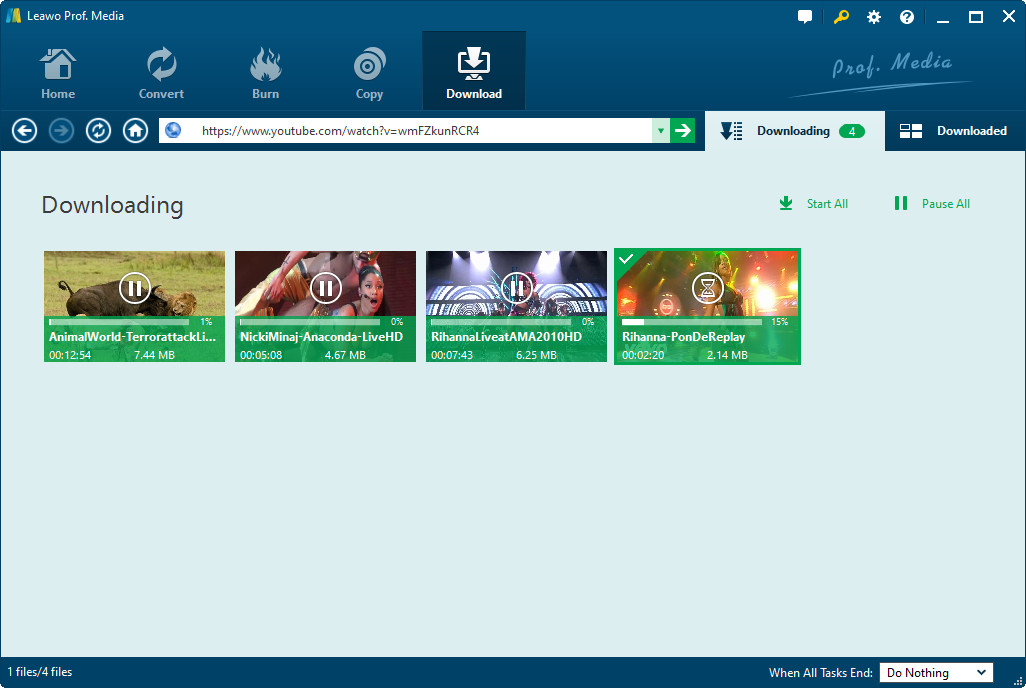
Suppose you are going to download videos with this video downloader, the easiest way is to drag the YouTube video thumbnail to the hover window of Leawo Free YouTube Downloader and then the video downloader will begin the downloading automatically.
Of course, you can also type the URL in the program address bar, this applies to all the video sites, for example, Google Video. Browse videos in its built-in FLV player with high speed, then download them to your appointed folder within just within one click, and convert them directly to the format you want for your phone and other portable media players.

Full Guide
1. Run YouTube Downloader
Launch Leawo Free Online Video Downloader to download online videos you like. Browse online videos in the browser address and then choose the one you want to download. When the downloading information window pops out, click Save as button.
2. Do some settings
You can freely download online videos and convert online videos to other video file formats like MP4 or 3GP. Do the related conversion settings, like output profile parameter settings, audio quality, video quality, folder, etc.
3. Download online videos
Click the convert button to start to download online videos and convert online video to other popular videos within Leawo free YouTube Downloader.


0 条评论:
发表评论
订阅 博文评论 [Atom]
<< 主页